Custom WooCommerce checkout
Cart and checkout on Gutenberg blocks, for any WooCommerce shop
A software company asked 7Fridays to build a custom look for the WooCommerce cart and checkout. Not for one shop: as a plugin that any shop, new or already running, can install and get the new cart and checkout straight away.
The second half of the brief mattered as much as the first. Shop owners had to be able to add their own sections to the cart and checkout and personalise them, without a developer. We built the whole thing on custom Gutenberg blocks, so an admin extends the checkout in the normal WordPress editor and nothing that already works breaks.
Two developers, one on the front end and one on the back end, built it in about two months. After delivery, the client’s own team took the plugin over and develops it in-house. The project is under NDA, so we do not name the client or the plugin. Need this under your own name? See white label development.
- Client
- Software company (under NDA)
- Industry
- E-commerce software
- Team
- 2 developers, front end and back end
- What we did
- WooCommerce cart and checkout plugin on Gutenberg blocks
What the plugin does
One install, a new cart and checkout
WooCommerce ships a cart and checkout that look the same on every shop. This plugin swaps them for a custom design on install, and then hands the shop owner the tools to change it further.
Replaces the default pages
Installed on a new or a running WooCommerce shop, the plugin automatically replaces the default cart and checkout with its own design.
Why it matters
No theme work per shop to get a better checkout.
Blocks the owner can add
Each part of the cart and checkout is a custom Gutenberg block. Admins add, move and set them up in the normal WordPress editor, without knowing any code.
Why it matters
The checkout grows with the shop, without a developer for every change.
Other plugins keep working
Extra payment gateways and shipping methods from other plugins still show up and work inside the new cart and checkout.
Why it matters
Switching the checkout does not cost the shop a payment option.
The build
A small team and a short timeline
- ~2 months
- from brief to a working plugin
- 2
- developers: one front end, one back end
- Any shop
- new or already running, on WooCommerce
- No code
- for shop admins to extend the checkout
The hard part: someone else's shop
A checkout that has to fit everywhere
Building a checkout for one shop is ordinary work. Building one that drops into any shop is not. Every running WooCommerce store already has its own theme, its own styles and its own scripts, and our front end had to work next to all of them without clashing styles or functions.
The second difficulty was other plugins. Shops add payment gateways and shipping methods through extra plugins, and each of them expects the standard checkout. Our custom checkout had to give them a place to plug in, so a shop keeps every payment and delivery option it had before.
That is also why we chose Gutenberg blocks over a settings page full of options: blocks are how WordPress itself is extended today, so admins already know how to use them, and the checkout can keep growing after launch without new code.
How a shop gets its new checkout
From install to its own blocks
-
Install the plugin
On a new shop or one that has been selling for years.
-
Cart and checkout change
The default WooCommerce cart and checkout are replaced by the custom design automatically.
-
The owner adds blocks
Extra sections go in through Gutenberg blocks in the normal editor, no code needed.
-
Payments and shipping stay
Payment gateways and shipping methods from other plugins keep working inside the new checkout.
Custom WooCommerce checkout
Questions, answered from this project
Can you build a custom WooCommerce checkout page as a plugin?
Yes. Here the custom cart and checkout pages are a plugin: install it on any WooCommerce shop, new or running, and it replaces the default pages automatically.
Can shop owners change the checkout without a developer?
Yes. Every part of the cart and checkout is a custom Gutenberg block, so admins add and set up sections in the normal WordPress editor without writing code.
Will a custom checkout break my payment or shipping plugins?
It must not, and on this project that was a requirement. Payment gateways and shipping methods added by other plugins keep working inside the new checkout.
Why Gutenberg blocks and not a settings page?
Blocks are how WordPress is extended today, and admins already know the editor. A settings page would limit owners to the options we thought of; blocks let the checkout keep growing after launch.
What is hardest about a checkout plugin for many shops?
Fitting into shops you have never seen. Each one has its own theme, styles and scripts, so the plugin's front end has to work next to all of them without conflicts.
How long does a custom checkout plugin take?
This one took about two months with two developers, one on the front end and one on the back end.
Can our own team take the plugin over after delivery?
Yes. That is what happened here: after we delivered, the client's in-house team took the plugin over and kept developing it themselves.
More WooCommerce work

WooCommerce ERP integration
A WooCommerce plugin that connects a UK ERP to online shops: real-time stock, orders reserved and prepared for shipping in the ERP, and no lost orders when the ERP is down. Four large shops built on it, three years of support.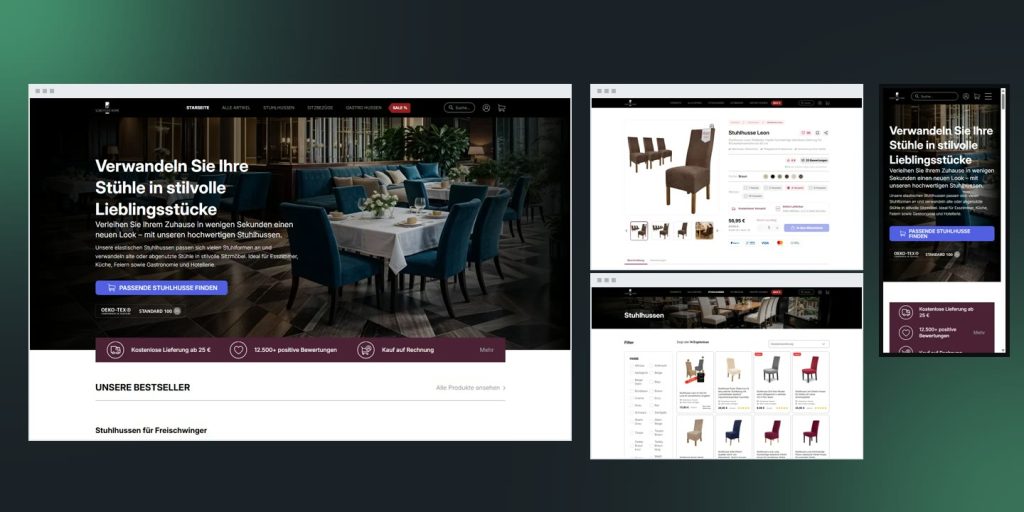
Scheffler Home
A custom WooCommerce theme for SCHEFFLER-HOME, a German chair cover shop: a conversion-optimized mockup built in 120 hours, the store moved over, and Google's mobile performance score up from 44 to 86.
WordPress as a platform for Software
WordPress serves as a platform for developing a wide range of projects, including software. Here are some examples of the benefits you receive for your business when using this platform
Let's make something meaningful
Tell us what you are building. A real engineer replies within one working day — usually with questions, sometimes with a first estimate.
Talk to us
Tell us what you are building. A real engineer replies within one working day — usually with questions, sometimes with a first estimate.