OptiGrid
Next.js CMS: WordPress behind a Next.js website
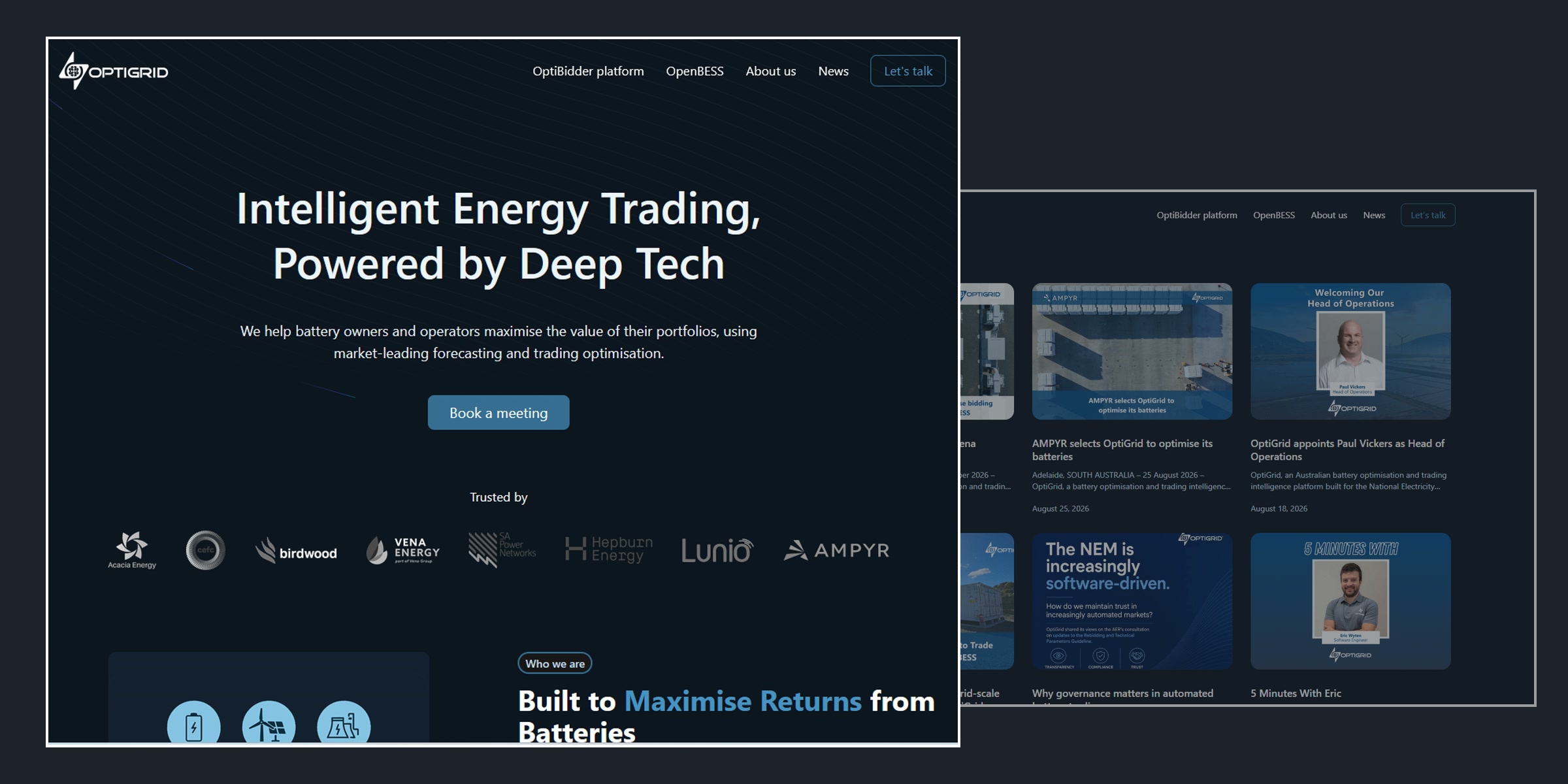
7Fridays connected WordPress to the Next.js website of OptiGrid, an Australian energy software company that helps energy retailers, asset owners and developers get more from battery storage and renewable plants.
The site was already built in Next.js and almost ready to launch, but every new article or text change needed a developer. OptiGrid wanted its own team to publish news and edit pages, with SEO done properly from day one.
As the Next.js CMS we chose WordPress, used as a headless CMS: it keeps the content and the editing screens, and the Next.js site reads it through GraphQL. When the team publishes, WordPress sends a webhook that rebuilds the site, so visitors still get fast static pages. We connected Yoast SEO, so titles, descriptions, canonical tags, structured data and the sitemap are managed in WordPress, set up Google Analytics 4 and Search Console, and reviewed the AWS deployment and its GitHub Actions pipeline. The work ran from September to November 2025.
Website: optigrid.energy
- Client
- OptiGrid
- Industry
- Energy software
- Year
- 2025
- What we did
- WordPress as the CMS for a Next.js site, SEO, analytics
What we connected
A CMS the team runs itself
The brief came in four parts: connect WordPress as the CMS, set up SEO, set up analytics, and review the deployment pipeline. The aim was simple: OptiGrid’s team publishes, and developers are not needed for content.
WordPress as the Next.js CMS
Posts and pages are written and edited in WordPress, and the Next.js site reads them through GraphQL. The team works in the editor it knows.
Why it matters
News goes out the day it is written, not when a developer is free.
Rebuild on publish
Publishing in WordPress sends a webhook to the hosting, which rebuilds the Next.js site through the GitHub Actions pipeline on AWS.
Why it matters
Visitors keep getting fast static pages, and every update still goes live on its own.
SEO and analytics from day one
Yoast SEO in WordPress drives titles, descriptions, canonical tags, structured data and the sitemap on the Next.js site, with Google Analytics 4 and Search Console in place before launch.
Why it matters
The site launched ready to rank, and the team can see what works.
After handover
September 2025 to today
- 14
- posts the team published itself since handover
- 32
- posts on the site in total
- 2 months
- from brief to handover
- 5.0 ★
- client rating
Static is fast. Content still needs a home
When a static site is enough, and when it is not
A static website is fast, cheap to host and hard to break. Its pages are built once and served as ready files, so there is no database to slow down and very little to attack. For a landing page, a product launch or a site that changes a few times a year, that is often all you need.
The trouble starts with the second article. On a static site every new post, price or job opening means a developer editing code and deploying again. The marketing team waits, news goes out late or not at all, and a site that was cheap to build becomes expensive to keep alive. Static is also the wrong choice for anything live or personal: accounts, bookings, online stores, search across a large catalogue.
That is why most business websites need a CMS anyway. The good part is that you no longer have to give up static speed to get one. With a headless CMS your team edits in WordPress, and the site still serves static pages, rebuilt every time something is published. OptiGrid’s Next.js site was static and almost launched when we added WordPress behind it; since then its team has published 14 posts with no developer involved.
Pleasure working with [7Fridays].
Next.js CMS
Questions, answered from this project
Which CMS should we use for a Next.js website?
The one your team can run without a developer. For OptiGrid we chose WordPress as a headless CMS: the team already knew its editor, it has mature SEO tools like Yoast, and the Next.js site reads its content through GraphQL.
Can WordPress be a headless CMS for Next.js?
Yes. WordPress keeps the content and the editing screens, and Next.js shows it to visitors. On OptiGrid the content comes through GraphQL, and the site rebuilds whenever something is published.
How do updates in WordPress reach the Next.js site?
Publishing in WordPress sends a webhook to the hosting, which rebuilds the site through the deployment pipeline. Visitors get fast static pages, and nobody has to deploy by hand.
Does SEO still work with a headless WordPress?
Yes, if it is wired in. We connected Yoast SEO, so titles, descriptions, canonical tags, structured data and the sitemap are set in WordPress and served by the Next.js site.
How long does it take to add a CMS to a Next.js site?
For OptiGrid, the CMS, SEO setup, analytics and a review of the deployment took about two months, from September to November 2025, alongside the client's own launch work.
Can our team really publish without a developer?
Yes. Since the handover in November 2025, OptiGrid's team has published 14 posts on its own.
More headless and Next.js projects

Strawberry Tours
A tour booking platform with a portal where guides run their tours and their business, while travellers book free walking tours in cities around the world.
HireInfluence
Marketing agency website design for HireInfluence, an influencer marketing agency: the site rebuilt for speed in about 120 hours, same design and animations, 90+ speed score and Core Web Vitals passed.
Artificial Intelligence and Search Optimization in Headless Projects
Modern digital ecosystems demand extreme flexibility from businesses, making the transition to Headless architecture a standard for companies striving for scalability and high-speed interfaces.
Let's make something meaningful
Tell us what you are building. A real engineer replies within one working day — usually with questions, sometimes with a first estimate.
Talk to us
Tell us what you are building. A real engineer replies within one working day — usually with questions, sometimes with a first estimate.